How to Desolder Electronics: Remove Components Without Damaging the Board
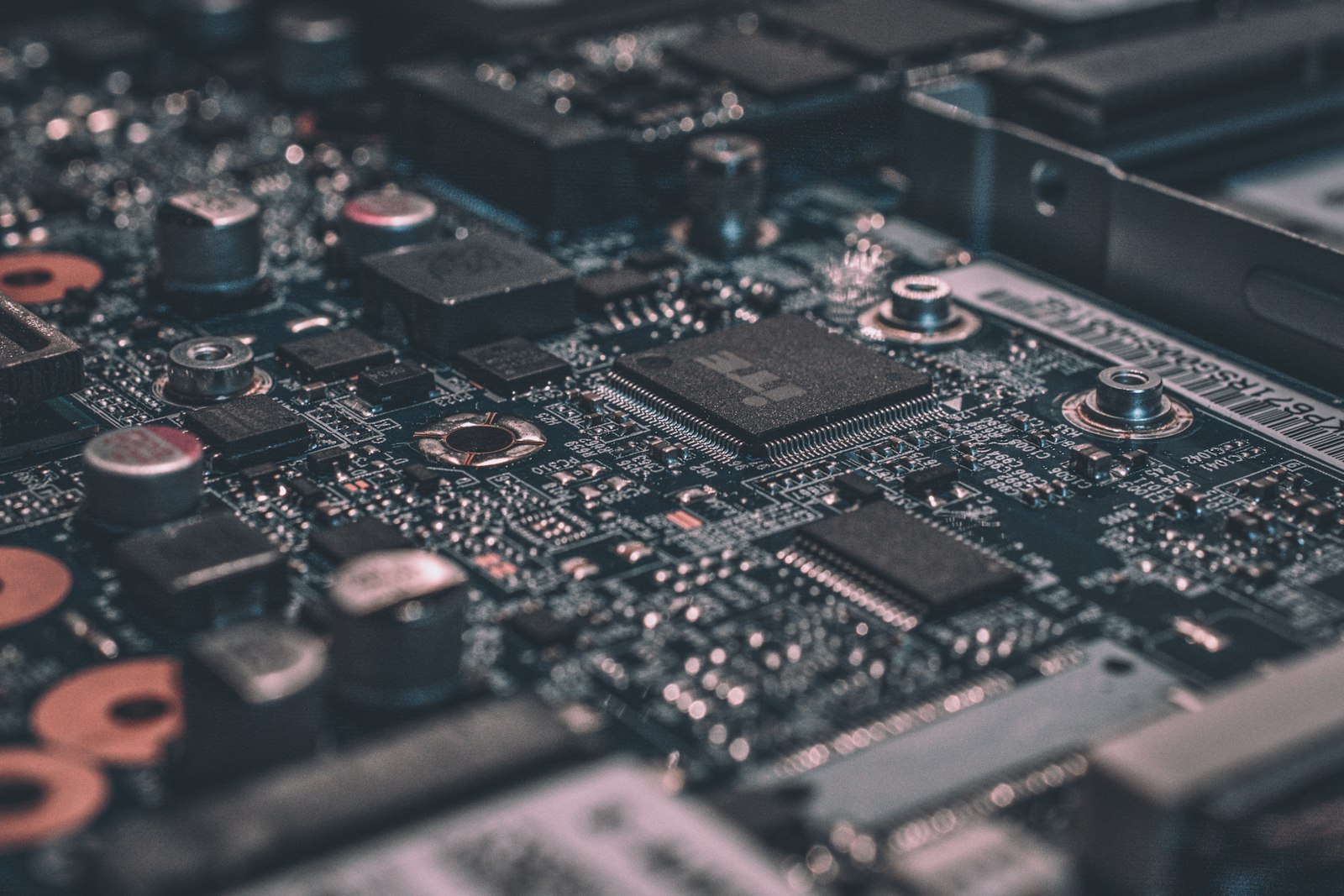
What desoldering actually removes, and what it cannot fix
Desoldering is the reverse of soldering, but it is not simply soldering in reverse. When you solder, you add molten metal that flows around a lead and a copper pad and then freezes into an electrical and mechanical bond. When you desolder, you must return every joint on that component to a fully liquid state and get the solder out of the way, so the lead is free to move. If even one pin of a multi-pin part is still anchored, the part will not come out, and any force you apply goes straight into the board.
That is why desoldering feels harder than soldering, especially for beginners. A solder joint you made five minutes ago comes apart easily, because the solder is clean and the surfaces are fresh. A joint on a ten-year-old board may be oxidised, contaminated with flux residue, or attached to a large ground plane that sucks heat away from your iron as fast as you add it. The solder may look shiny on top while the underside of the joint is still solid. Patience, fresh solder, and flux — the three things beginners most often skip — are what make the difference between a clean removal and a torn pad.
It is also worth being honest about what desoldering cannot do. It cannot revive a component that has already failed internally, and it cannot save a board whose traces are already burnt or delaminated. Some parts, such as large electrolytic capacitors glued to the board or components with leads bent flat underneath, are deliberately hard to remove. And some boards, particularly cheap single-sided boards with thin copper, will lose a pad if you look at them too hard — that is a property of the board, not a verdict on your skill. The goal of this guide is to give you the method that damages the fewest boards, not to promise that every removal succeeds.
The three tools that do the job: pump, wick, and hot air
Almost every desoldering job uses one of three tools, and each one suits a different situation. A desoldering pump, also called a solder sucker, is a spring-loaded tube: you cock the plunger, melt the joint with your iron, press the nozzle against the liquid solder, and fire the plunger to suck the solder into the barrel. It is fast, cheap, and excellent for clearing through-hole joints, but it demands timing — hesitate for a second and the solder freezes before the pump fires. A solder wick, or desoldering braid, is braided copper wire coated in flux: you lay it over the joint, press the iron on top, and the molten solder is drawn up into the braid by capillary action. It is slower and the braid is consumed as you go, but it is superb for cleaning pads flat and for removing solder bridges between tight pins.
Hot air is the third option, and it changes the game for surface-mount work. A hot-air rework station blows heated air, typically around 350°C, over the whole component so that all of its pins melt at the same time, and you lift the part off with tweezers. No pump or wick can do that for a 28-pin chip, because by the time you have cleared the last pin, the first has frozen again. Hot air needs more care — it can blow small parts off the board and overheat nearby components if you linger — but for surface-mount removal it is not a luxury, it is the correct tool.
| Tool | Best for | Cost | Watch out for |
|---|---|---|---|
| Desoldering pump (solder sucker) | Through-hole joints, clearing holes | Very low, often included in kits | Timing: fire while the solder is still liquid |
| Solder wick (braid) | Cleaning pads, solder bridges, tight pins | Very low, but braid is consumed | Needs flux; struggles on large ground planes |
| Hot-air rework station | Surface-mount chips, multi-pin parts | Higher, a station purchase | Can disturb nearby parts; keep the nozzle moving |
For a beginner, the practical buying order is simple: start with a pump and a roll of wick, because both come in most decent soldering kits and together they handle nearly all through-hole work. Add a hot-air station when you start working on surface-mount boards or need to remove multi-pin chips. Buying a dedicated vacuum desoldering station, the professional tool that combines a heated tip with continuous suction, only makes sense if you are doing board repair every week — for occasional work it is overkill, and the money is better spent on practice boards.
Step by step: removing a through-hole component without lifting a pad
Start by making the job easy for yourself. Work on a stable, heat-resistant surface with good light, and hold the board in a holder or helping hands so it cannot slide. Unplug the device, and if it has large capacitors, give them time to discharge — a charged capacitor can bite even in a circuit that is switched off. Set your iron to about 350°C for leaded solder or 370°C for lead-free solder, which melts at a higher temperature, and let it reach temperature fully before you touch a joint. A cold tip is the most common cause of a joint that refuses to melt.
Here is the trick that fixes most stubborn joints: add fresh solder first. Touch a little new solder to the old joint and let it melt in. The fresh solder brings fresh flux, which cleans the oxidised surface and helps heat flow into the old solder, and within a few seconds the whole joint becomes liquid and shiny. Then, keeping the iron on the joint, bring the pump nozzle in from the other side if you can, or remove the iron and fire the pump within a second. For a wick, lay the braid over the joint, press the iron on top of the braid, and watch the solder climb into the copper; snip off the used, solder-filled section and move to a clean length for the next joint.
Work through every pin before you try to move the component. Gently wiggle each lead with tweezers — a free lead moves; a stuck lead does not, and that is your signal to reheat and clear that joint again rather than to pull harder. When all leads are free, lift the part straight out. If a lead was bent over on the underside of the board during manufacturing, straighten it gently with pliers first; yanking a clinched lead will tear the pad. After removal, clean the pads with wick until they are flat, then brush away flux residue with isopropyl alcohol and a stiff brush so the board is ready for a new component.
Removing surface-mount parts with hot air
Surface-mount components sit on top of the board with tiny leads or pads underneath, and they cannot be removed pin by pin. The method is to heat the whole part evenly until all of its solder melts at once. Fit a nozzle roughly the size of the component, set the station to around 350°C with a moderate airflow, and hold the nozzle a centimetre or so above the part, moving it in small circles so the heat spreads evenly. After 20 to 60 seconds — longer for large parts or parts on ground planes — you will see the component shift slightly or the solder turn fully liquid and shiny. That is the moment to lift it with tweezers, straight up, without dragging it across neighbouring pads.
Two habits separate clean surface-mount removal from damage. First, protect the neighbours: a small piece of aluminium foil or Kapton tape over nearby plastic connectors and tiny components stops them melting or blowing away. Second, do not rush the heat-up. Beginners either blast one spot until the board scorches, or lift too early and drag a still-anchored part across its pads, tearing them. If the part does not move with gentle tweezer pressure, it is not ready — put it down, heat for another ten seconds, and try again. Adding a little liquid flux around the part before heating helps the solder flow evenly and reduces the time the board spends at high temperature.
Once the part is off, the pads will have uneven blobs of solder left on them. Clean them with wick and a normal iron at 350°C, holding the braid flat and letting the solder draw up into it, until the pads are level. Check them under magnification if you can: a pad that has lifted will look wrinkled or raised at one edge, and it will need a repair wire (a jumper) before a new part can be fitted. For a first practice session, use a dead board from an old gadget rather than anything you care about — surface-mount removal is a feel skill, and the first five parts you remove teach you more than any guide can.
When a pad lifts or a pin will not budge: rescue moves
A lifted pad is the classic desoldering accident, and it is not always fatal. If the copper pad has peeled away from the board but the copper trace it connects to is still intact, you can repair it: scrape the solder mask off a millimetre or two of the exposed trace, tin it, solder a fine jumper wire from the component lead to that trace, and secure the wire with a drop of glue or tape. The repair is ugly and it will not win beauty contests, but electrically it is sound, and it is how professional repairers save boards every day. If the trace itself is gone, follow the circuit to the next component it connects to and run the jumper there instead.
A pin that will not budge usually has one of three causes, and each has a fix. The first is a ground plane: a large area of copper connected to the pin drains heat away, so a small iron tip can never get the joint hot enough. The fix is a bigger tip, a higher temperature (up to 380°C briefly), and fresh solder to carry heat in. The second is lead-free solder, which melts around 217°C compared with 183°C for leaded solder and looks dull even when it is liquid — do not mistake its dull appearance for a cold joint, and do not keep heating it in search of a shine that will never come. The third is a clinched or glued lead, which needs straightening or a careful cut before it will move at all.
There is one rescue product worth knowing about: low-melt desoldering alloy, sold under names like Chip Quik. You melt this special alloy into all the joints of a stubborn multi-pin part, and because it stays liquid at around 90°C, all the pins stay molten together for far longer, so you can lift the part out with no rush. It is more expensive than wick and it leaves alloy residue that must be cleaned off with wick before you solder a new part in, but for a valuable chip on a valuable board it can be the difference between success and a torn-up board. Keep it in mind for the one job a year that really matters, rather than using it for everyday practice.
Safety, cleanup, and what to practise on
Desoldering carries the same hazards as soldering, plus one extra: flying solder. A desoldering pump can flick a droplet of molten solder, so wear safety glasses, not just for show — a droplet in the eye is a hospital visit. Work in a ventilated space or with a small fume extractor, because solder fumes are flux fumes and you do not want to breathe them for hours. If you are working with older boards, assume the solder may contain lead: wash your hands after handling, keep food and drink away from the bench, and never use a kitchen surface for board work. A hot-air gun at 350°C will burn skin instantly, so treat it like a hair dryer that means it, and let it cool in its stand before you put it away.
Cleanup is part of the job, not an afterthought. Empty the pump barrel into a metal container, not the bin, because the solder inside is sharp and still warm. Used wick is also sharp and should go in the same container. Wipe the board with isopropyl alcohol to remove flux residue, which is sticky, mildly corrosive over time, and can cause leakage currents on sensitive circuits if left in place. Store the board flat, and label any parts you removed and intend to reuse — a bag of unlabelled mystery components is worthless a month later.
For practice, the cheapest teacher is a dead board: an old router, a broken toy, or a discarded remote control. Start by removing resistors and capacitors, then move to chips with more pins, then to a surface-mount part. A practice kit with a bare board and a bag of components is even better, because you can solder the parts in and then desolder them again, repeating the cycle until the motion feels automatic. Ten practice removals will do more for your confidence than ten more articles, and they cost almost nothing — which is exactly why desoldering is one of the best skills a beginner can build early.
Frequently Asked Questions
Can I desolder with just a soldering iron and no pump or wick?
You can melt a joint with just an iron, but you cannot reliably clear the solder from the hole or pad that way, so the component usually stays stuck. A pump or a roll of wick costs very little and both are included in most beginner soldering kits. Buy one of them before your first real removal; trying to do without is the most common reason beginners damage boards.
What temperature should I set my iron to for desoldering?
Around 350°C works for most leaded solder, and around 370°C for lead-free solder, which melts at a higher temperature. If a joint will not melt, add fresh solder and flux first before raising the temperature further, because excessive heat is what lifts pads and damages boards. For hot-air removal of surface-mount parts, around 350°C with moderate airflow is a good starting point.
Why will my component not come out even though the solder looks melted?
Usually one pin is still anchored: a joint on a ground plane, a lead bent flat underneath the board, or lead-free solder that looks dull even when liquid. Wiggle each lead gently with tweezers to find the stuck one, then reheat and clear that joint specifically. Never pull harder on the component — the pad will tear before the pin lets go.
Is desoldering dangerous, and do I need to worry about lead solder?
The main risks are burns, flying solder from a pump, and breathing flux fumes, so wear safety glasses and work in a ventilated space. Older boards may use leaded solder, so wash your hands after handling, keep food away from the bench, and dispose of solder waste in a metal container. With those precautions, desoldering is a safe bench activity.
Can I reuse components after desoldering them?
Yes, often. Resistors, capacitors, connectors and many chips survive desoldering fine if they were not overheated, and salvaged parts are a great free source for practice projects. Test each salvaged part with a multimeter before reusing it, and avoid reusing heat-sensitive parts such as batteries, or components that were glued down and had to be forced off.
🛒 Parts you'll need for this project
Hand-picked gear that matches this guide — buying through these links supports the site at no extra cost to you.
- YIHUA 926 III 60W Digital Soldering Station Kit (11-in-1)The beginner desoldering kit in one box: a 60W temperature-controlled iron plus the desoldering pump (solder sucker), helping hands and tweezers you need for through-hole removal, with tips and solder included.
- YIHUA 8786D-I 2-in-1 Hot Air Rework + Soldering StationThe upgrade for surface-mount work: a hot-air gun (100-480°C) that melts all pins of a chip at once, plus a soldering iron for pad cleanup, with a desoldering pump and nozzles in the box.
- WayinTop Electronics Component Fun KitCheap sacrificial parts for practice: solder these components onto a spare board, then desolder them again. Repeating the cycle on parts you do not care about is the fastest way to build a damage-free technique.
As an Amazon Associate we earn from qualifying purchases.