Smart Home Wiring: Plan Before You Pull
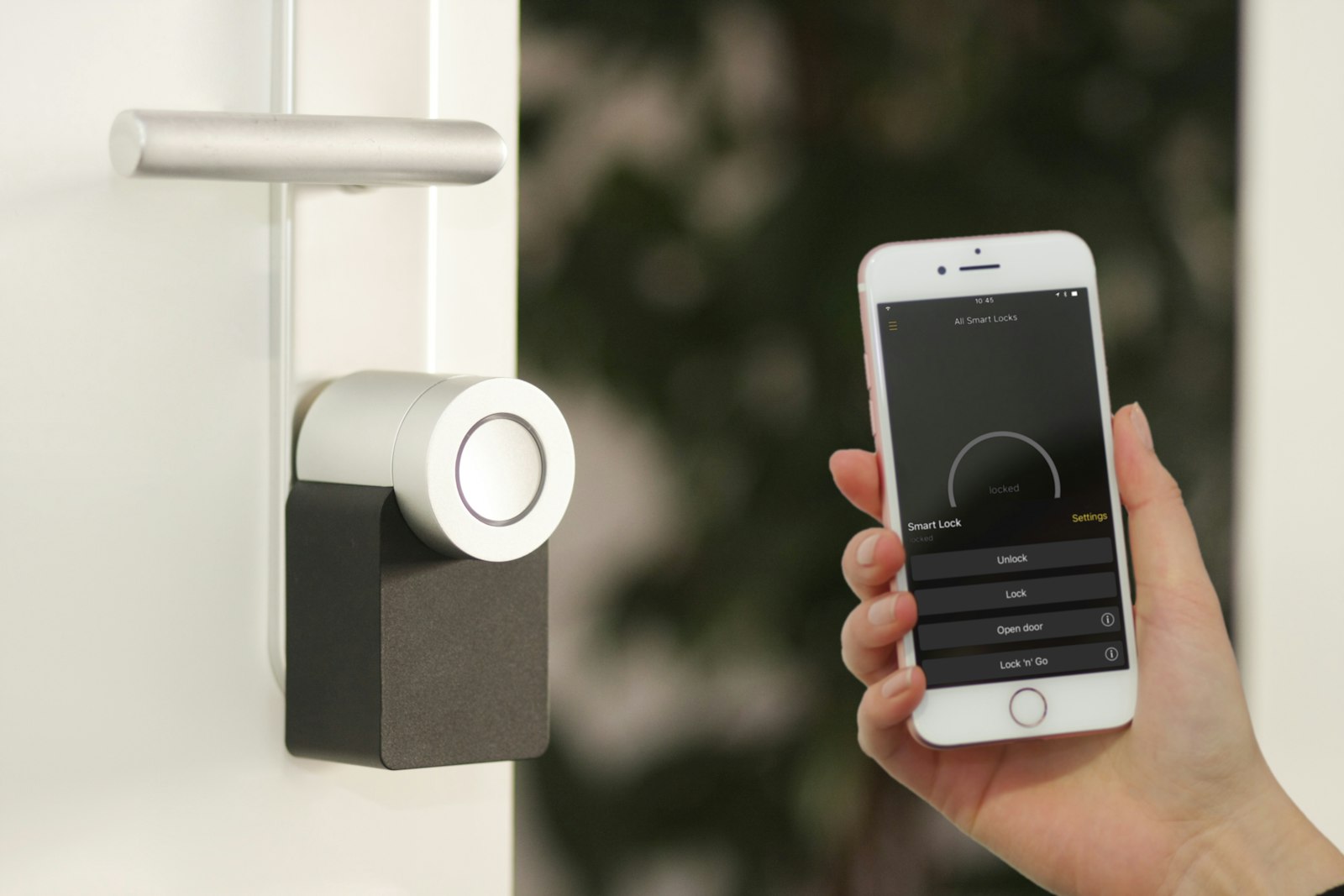
Why planning beats pulling cable twice
Every smart device needs two things: power and a path for data. Wi-Fi handles data for many gadgets, but Wi-Fi is shared airspace that gets congested, and some devices like cameras and access points genuinely need wired connections to perform. Power is the harder constraint: a smart switch needs a neutral wire, a camera needs either an outlet nearby or PoE, and a tablet dashboard needs a USB feed inside the wall.
Walk every room on paper before buying anything. Mark where switches, cameras, access points, speakers, and sensors will live, then ask what each location needs: just power, power plus network, or power plus network plus a neutral at the switch. This single planning session prevents the classic regret of finishing drywall and realizing the camera location has no outlet.
Plan for the devices you will add in five years, not just the ones you own today. Cable is cheap during construction and ruinously expensive after it. An extra run of Cat6 to each room costs almost nothing now and future-proofs everything.
Neutral wires at every switch box
This is the single most important smart-home wiring rule. Most smart switches and dimmers need a neutral wire in the box to power their own electronics. Older switch loops ran only hot and switched-hot to the switch, with the neutral staying up at the light fixture, which leaves no neutral for a smart switch to use.
If you are wiring new or rewiring, run 14/3 or 12/3 to every switch location so a neutral is always present, even for simple switches you might upgrade later. The extra conductor costs pennies per foot during rough-in.
For existing homes without neutrals, you have three options: use smart switches designed to work without a neutral (they exist but can flicker with LED loads), have an electrician pull new cable, or use smart bulbs with a wireless switch instead. Know which situation you are in before ordering a dozen switches.
Network: run Cat6 everywhere
Wi-Fi is convenient and wired is reliable; a smart home wants both. Run Cat6 Ethernet to every room, to every TV location, to the office, and to ceiling spots where Wi-Fi access points will mount. Terminate everything at a central panel with a switch, and you have a backbone that never congests no matter how many gadgets join the Wi-Fi.
For cameras and access points, plan for Power over Ethernet. A PoE switch at the central panel sends both power and data down a single Cat6 cable, which means a camera needs only one wire and no nearby outlet. It is the professional way to do cameras and the difference between a clean install and a tangle of adapters.
Label both ends of every cable and test each run before drywall. A ten-dollar cable tester and an hour of labeling saves a weekend of tone-and-probe detective work later. Future you, troubleshooting at midnight, will consider this the best money the project spent.
Hubs, protocols and power planning
Smart devices speak several languages: Wi-Fi, Zigbee, Z-Wave, Thread, and Matter, the newer standard trying to unify them. You do not need to master the politics, but you do need one coherent plan, because a house split across four incompatible ecosystems is a support nightmare.
Pick one primary ecosystem and make new purchases fit it. A single hub or a border router that speaks your chosen protocols keeps automations local and fast instead of bouncing through distant clouds. Local control also keeps working when the internet hiccups, which cloud-only devices do not.
Plan power for the hub location too: a small UPS at the central panel keeps the router, hub, and PoE switch alive through short outages, so your smart locks and cameras keep working when the grid blinks. Resilience is a feature, and it is designed at the panel, not bought later.
Conduit and future-proofing
The cheapest future-proofing ever invented is empty conduit. Wherever cable runs through an inaccessible path, an attic-to-basement chase, or an exterior wall, pull a spare empty conduit or at least a pull string alongside the real cables. When the next standard arrives, you fish new wire in minutes instead of opening walls.
Oversize your central panel space as well. A structured media enclosure with room to grow holds the switch, hub, and power distribution with space for additions. Cramming gear into a too-small box guarantees a rewiring project the first time you add cameras.
Document everything. A simple floor plan showing cable routes, panel schedules, and device locations, saved digitally and taped inside the panel door, turns every future project from archaeology into routine maintenance.
Safety and code notes
Low-voltage cable like Cat6 and speaker wire can share routes with each other but must stay separated from line-voltage wiring by code, usually in different stud bays or with proper dividers. Never run Ethernet inside the same conduit as mains wiring.
Line-voltage work for smart switches follows all the normal rules: permits where required, proper boxes and connectors, neutrals handled correctly. If your plan involves panel changes or new circuits, that is electrician territory in most jurisdictions.
Finally, remember that smart does not mean safe by default. Keep firmware updated, use a separate IoT network or VLAN for cheap gadgets, and change default passwords. A well-wired home with sloppy network security just gives attackers a faster connection to your cameras.
Retrofitting an existing home
Most people do not get to wire during construction, so here is the retrofit playbook. Start with what needs no new wire at all: smart bulbs, plug-in sensors, and wireless switches can transform a home with zero drywall damage. Battery-powered sensors for doors, leaks, and motion fill the gaps where running wire is impractical.
For network, a mesh Wi-Fi system with wired backhaul over your existing coax, using MoCA adapters, gets you most of the benefit of Cat6 without opening walls. If you have accessible attic or basement, running a few strategic Cat6 drops to access-point and camera locations is a weekend project with outsized payoff.
Tackle switch boxes one room at a time, checking for neutrals before ordering hardware. And keep a running document of what you installed where; retrofits evolve over years, and the map matters even more when the wiring grew organically instead of from a plan.