Best Whole-House Surge Protectors: How to Choose the Right One
Why the panel is the right place to stop a surge
Power surges come from three places: lightning strikes, utility switching events, and — most often — your own home. Every time a big motor starts up — the air conditioner compressor, the refrigerator, a well pump, a table saw — it throws a small surge back onto your wiring. Research compiled for residential surge guides puts the figure at up to 100 surges per month in a typical home, and the majority originate inside the house. The small ones silently degrade your electronics over years; the big ones kill them outright.
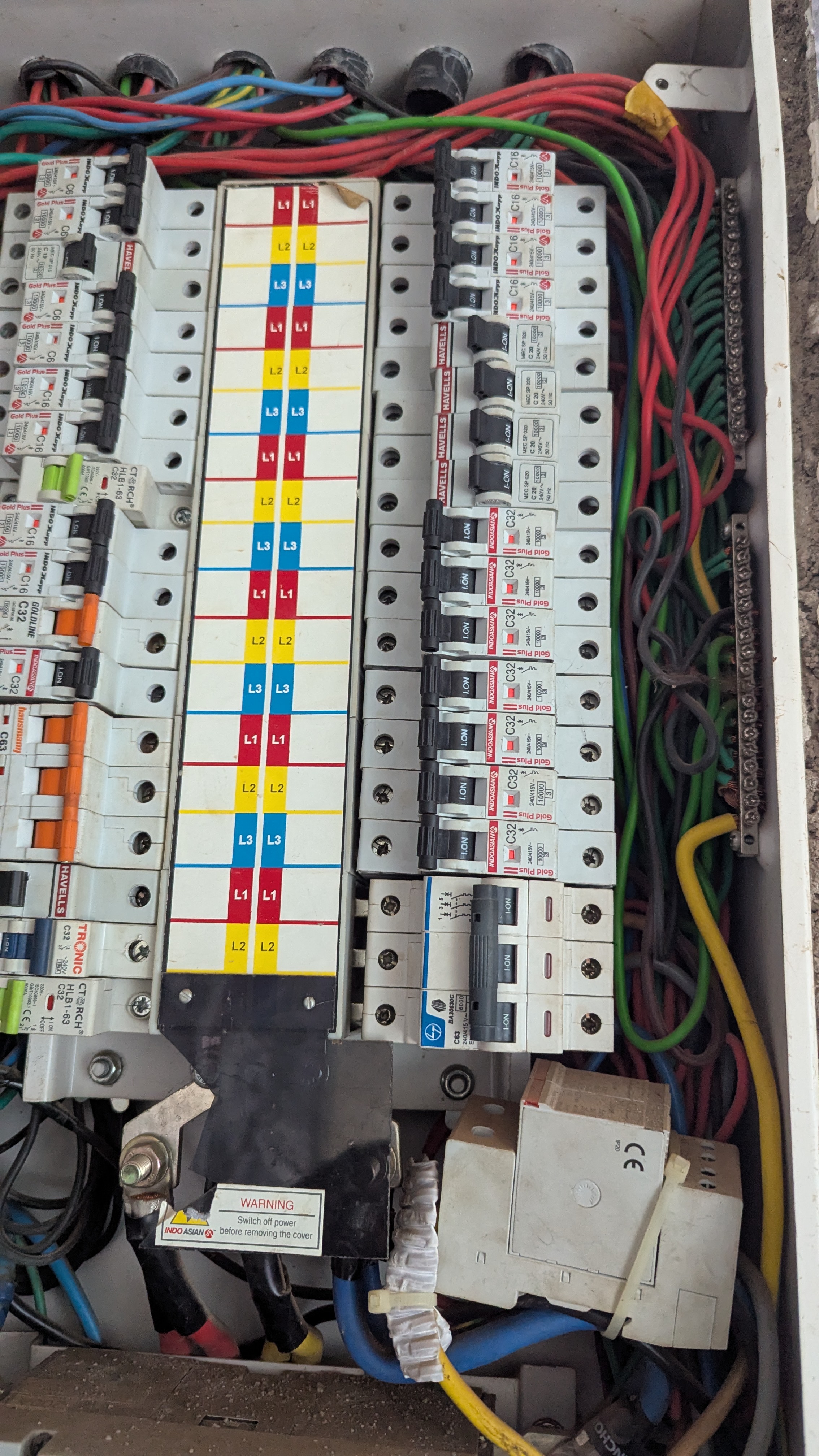
Plug-in surge strips can only protect what is plugged into them, and that leaves a long list unguarded: the HVAC system, the oven, the dishwasher, the garage-door opener, the water heater controls, and every hardwired light in the house. A whole-house surge protective device (SPD) mounts at the breaker panel, where power enters your home, so it guards every circuit and every appliance downstream — including the ones you can never plug into a strip.
The economics are simple. A quality panel SPD costs roughly what a mid-range TV costs, while industry estimates put the value of surge-vulnerable electronics in a typical home at up to $15,000. One nearby lightning strike can erase that value in a fraction of a second. A panel-level protector is the cheapest insurance policy in the house — provided you buy one with the right specs, which is what the next section is about.
The specs that actually matter: kA ratings, SPD type, and VPR
The headline number on every panel SPD is its kA (kiloamp) rating: 80kA, 108kA, 140kA. This is the total surge current the device can absorb over its service life — not the size of a single lightning strike it can stop. The protection components inside (metal-oxide varistors, or MOVs) are sacrificial: every surge they absorb degrades them a little. So think of a bigger kA rating as a bigger fuel tank, not a bigger engine: it means a longer working life, especially in storm-prone areas.
Two more numbers deserve your attention. Nominal discharge current (In) — 20kA on the Eaton pick below, for example — measures the surge current the device can handle repeatedly, and it is arguably the more honest performance figure. Voltage protection rating (VPR) is the voltage your gear actually sees during a surge; the Square D datasheet lists 600V line-to-neutral and 1000V line-to-line. Lower is better: you want the clamping to happen before the spike reaches levels that damage electronics.
Then come the non-negotiables. UL 1449 listing is the North American safety standard specifically for surge protective devices — if a product claims surge protection without it, walk away. The enclosure rating matters if the unit mounts outdoors (NEMA 4X means weatherproof). And status indicators are essential: green LEDs, an audible alarm, or both, so you know when the MOVs are spent. A protector that silently dies is worse than no protector at all, because it sells you confidence you no longer have.
Type 1 vs Type 2: which one belongs in your home
Panel SPDs come in two flavors, and the difference is where they connect. A Type 1 device installs on the line side — between the utility meter and your main breaker — so it meets external surges at the doorstep. In some areas it needs the utility's blessing to install. A Type 2 device installs on the load side of the main breaker, wired to a dedicated two-pole breaker, and it handles both the remnants of external surges and the internal ones your own motors generate.
For most homeowners, Type 2 is the answer. The installation is simpler, no utility coordination is required, and it covers the surge sources you actually face. It is also worth knowing that the National Electrical Code has caught up with the threat: the 2020 edition (section 230.67) requires surge protection in new dwelling units, and a listed Type 1 or Type 2 device at the service satisfies it.
Whichever type you choose, respect the sacrificial nature of the technology. After a major event — a nearby lightning strike, a transformer blowing on your street — walk to the panel and check the status lights. A spent device still passes power normally while protecting nothing, exactly like a dead plug-in strip. That check takes ten seconds and it is the whole maintenance program.
Our two picks: the devices worth your money
The Siemens FS140 (FirstSurge Pro) is our top pick. It packs 140,000 amps of surge capacity per phase — the highest in its class — in a Type 2, NEMA 4X, UL 1449-listed package that installs on any main panel with a 30-amp-or-smaller two-pole breaker. What sets it apart is its commercial-grade, three-stage diagnostics: an audible alarm, green status LEDs, and a flashing red service light, plus ground-reference monitoring that warns you about a compromised neutral-to-ground bond — a genuine safety hazard most protectors never mention. It is the premium-priced option, but in storm country the extra capacity and honest status reporting earn it.
The Eaton CHSPT2ULTRA is the best value. You get 108kA of surge capacity with a 20kA nominal discharge rating in a Type 2 device with a NEMA 4 enclosure rated for indoor or outdoor mounting. It installs externally next to the panel and works with any manufacturer's load center — handy if your panel is a brand Eaton does not make breakers for. Eaton backs it with a limited lifetime product warranty and up to $75,000 in connected-equipment coverage, which is a manufacturer putting real money behind its own specs.
Worth a look as well: the Square D HEPD80, a compact Type 1 device with 80kA per phase, a NEMA 4X enclosure, and a 5-year warranty with $75,000 downstream equipment coverage. It is often the most affordable of the big three and a solid choice where a Type 1 install makes sense. Either of our two main picks, installed correctly, puts you in the top tier of residential surge protection.
| Spec | Siemens FS140 | Eaton CHSPT2ULTRA |
|---|---|---|
| Surge rating | 140kA | 108kA |
| SPD type | Type 2 | Type 2 |
| Installed at | Breaker panel | Breaker panel |
Installation reality check: this is breaker-panel work
Here is the safety fact that governs this entire project: installing an SPD means opening your breaker panel. Turning off the main breaker de-energizes the branch circuits, but the service lugs feeding the main stay live — touching them can kill you. Everything else in this section follows from that one fact.
If you are doing it yourself, the ritual is non-negotiable: main breaker off, then verify every conductor is dead with a non-contact voltage tester — and test the tester on a known-live outlet first so you know it works. Mount the device as close to the panel as possible with short, straight leads: long, looping wires add resistance that degrades surge performance, so the device belongs beside the panel, not across the room. Land it on a dedicated two-pole breaker in the slots nearest the main, and follow our step-by-step install guide for the full procedure.
Call a licensed electrician — and do not open the panel yourself — if anything inside looks unfamiliar, scorched, or overcrowded; if the panel is an obsolete design with known safety issues; if your jurisdiction requires a permit and inspection for panel work; or if you feel unsure at any point. The device itself costs around a hundred dollars; a professional install on top of it is the cheapest insurance you will ever buy for a house full of electronics.
Getting the most out of it: the layered setup
A panel SPD is the first line of defense, not the only one. It clamps the big spikes at the door; quality point-of-use surge protectors at your desk, TV, and home-office workstation mop up whatever gets through. This layered approach — panel device plus plug-in protectors — is exactly how commercial buildings are protected, and there is no reason your home should settle for less. As a bonus, the panel device absorbs the hits that would otherwise wear out your strips, dramatically extending their life.
For the point-of-use layer, the specs from our comparison guide apply: look for 2,000 joules minimum (3,000 to 4,000 is the sweet spot for serious setups), a clamping voltage of 400V or less, UL 1449 listing, protected and grounded indicator lights, and a meaningful connected-equipment warranty. Never daisy-chain surge protectors, and replace plug-in units every three to five years — or immediately after a major surge event.
Put it all together and the picture is this: one panel-level device, quality strips at the expensive gear, and a ten-second status-light check after every big storm. That is the complete surge-protection program for a home, and it costs less than replacing a single fried television. Your electronics — and your homeowner's insurance deductible — will thank you.
Frequently Asked Questions
What size whole-house surge protector do I need?
For most homes, a Type 2 surge protector rated at 100kA or higher is the sweet spot. The two devices we recommend — the Siemens FS140 (140kA) and the Eaton CHSPT2ULTRA (108kA) — both clear that bar. Homes in lightning-prone areas or with a lot of sensitive electronics should lean toward the higher kA rating, because that number reflects how much surge energy the unit can absorb over its life.
What is the difference between a Type 1 and a Type 2 surge protector?
A Type 1 SPD is installed on the supply side of your main breaker, at the meter or service entrance — usually electrician or utility territory. A Type 2 SPD is installed at or inside your breaker panel, wired to a dedicated breaker. Type 2 is what most homeowners should buy: it protects everything downstream in the home and is the type covered by both of our picks.
Can I install a whole-house surge protector myself?
It is breaker-panel work, so be honest about your comfort level. An experienced DIYer who is comfortable working in a panel with the main breaker off can fit a Type 2 unit in well under an hour. If opening the panel makes you nervous, hire an electrician — it is a quick, inexpensive visit for them, and codes in some areas require a pro anyway.
Does a whole-house surge protector replace plug-in surge protectors?
No — the strongest setup is layered. The panel device stops large external surges (lightning nearby, grid switching) before they spread through your wiring. Plug-in surge protectors at the TV or computer then handle the smaller surges generated inside the home, such as when a large appliance motor switches off.
How long does a whole-house surge protector last?
Surge protectors are sacrificial: every surge they absorb uses up some of their life. Check the indicator light regularly — if it goes out, the unit is spent and needs replacing. After a major storm or a nearby lightning strike, check it straight away. In typical conditions most units last several years.
🛒 Parts you'll need for this project
Hand-picked gear that matches this guide — buying through these links supports the site at no extra cost to you.
- Siemens FS140 Whole House Surge Protection Device (140kA, Type 2)Our top pick: 140,000-amp capacity per phase, NEMA 4X enclosure, and commercial-grade diagnostics with an audible alarm that tells you the moment protection wears out.
- Eaton CHSPT2ULTRA Ultimate Surge Protection Device (108kA, Type 2)Best value: 108kA capacity, NEMA 4 enclosure that mounts beside any brand of panel, limited lifetime warranty with up to $75,000 in connected-equipment coverage.
As an Amazon Associate we earn from qualifying purchases.